The following settings are optimised for a Intel Core i5-12400F Processor and a PowerColor AMD Radeon RX 9060 XT REAPER 16GB GDDR6 Graphics Card.
I found it was fairly easy to get BL4 running at and above 60 FPS so I could turn Frame Generation on. However the visuals always looked like a hot mess to me. No clarity. Blurry. Very bad artifacting.
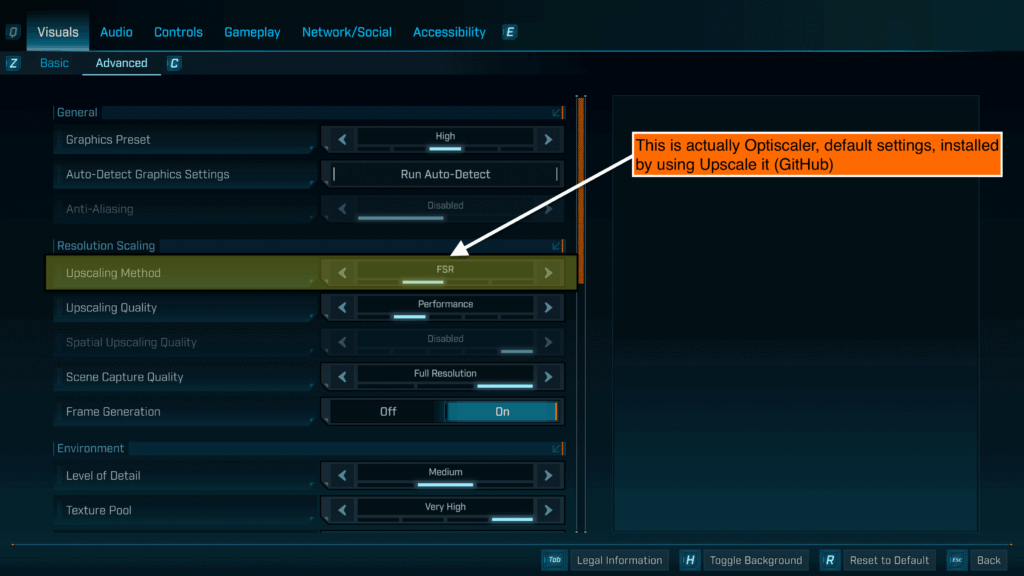
I wanted to try it with Optiscaler but was dreading what can be a fiddly process. Then I ran across a video by the always excellent Ancient Gameplays covering Upscale It …
That made installation easy 😄 Only install Optiscaler, or at least only one of the various systems, as when I installed both the DLSS stuff and Optiscaler it caused issues.
Once installed that handles what seems to be a faulty implementation of AMD FSR 4 by Gearbox.
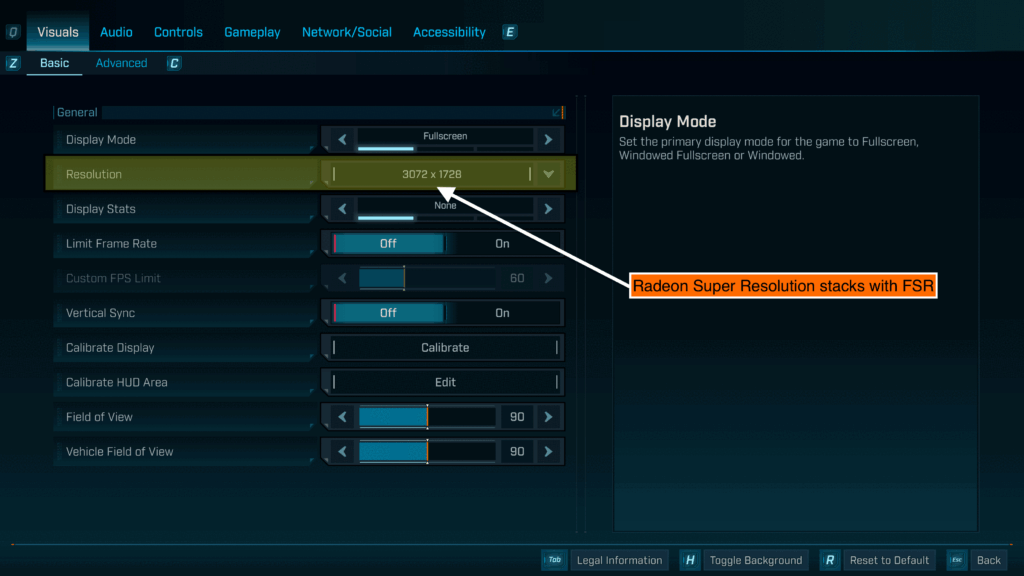
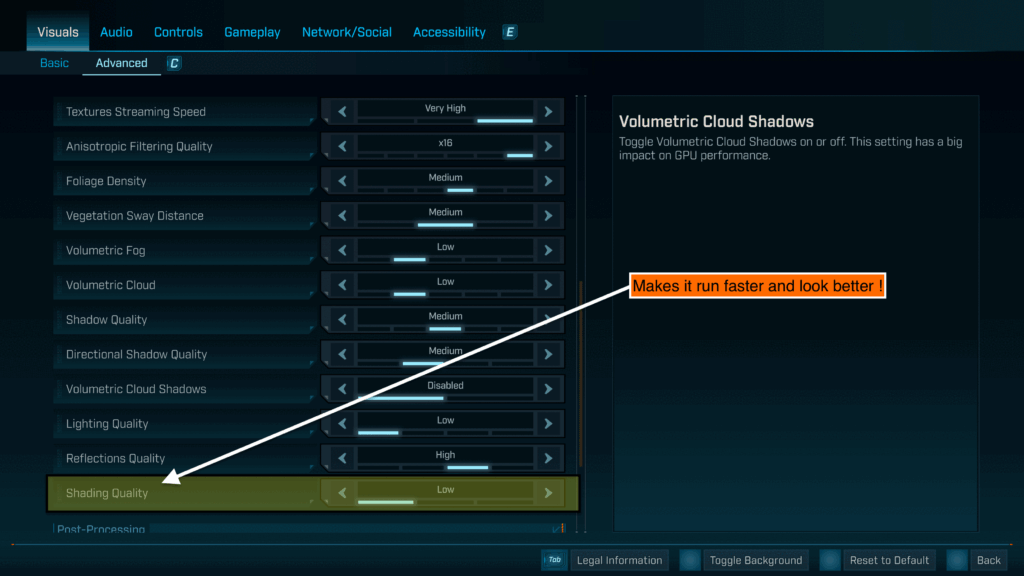
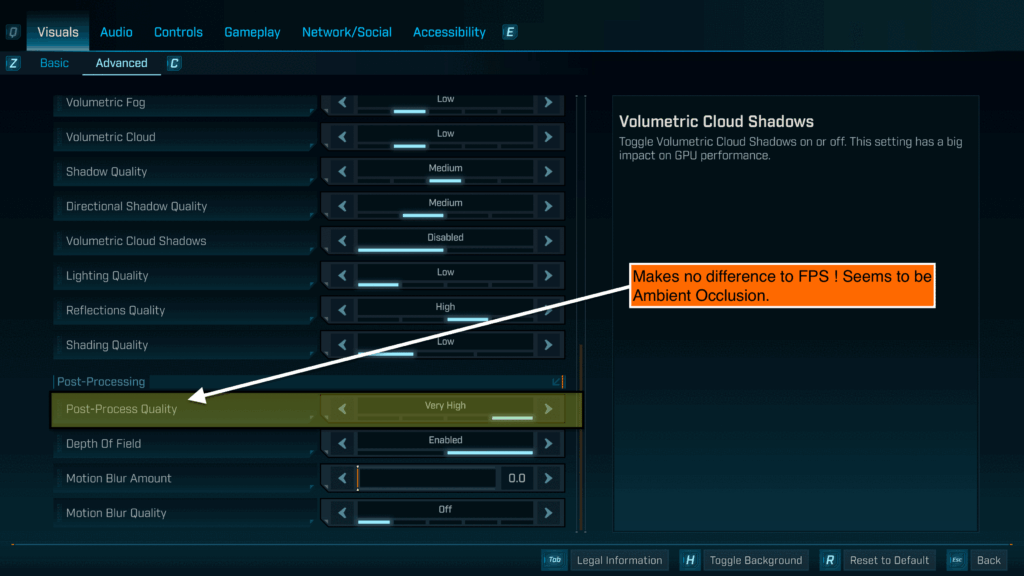
But the visuals still did not seem right ! In the end I locked it down to this …
UPDATE: After some testing, don’t set Radeon Super Resolution as well ! That just makes the graphics into a horrid mess. Just set 4K resolution and let FSR do the upscaling. On my machine that led to an average of 55 FPS. Even when its sometimes dropping to 43 this is worthit because now the full wonder of pin sharp FSR is there to see and the latency is good !
Enjoy your fixed BL4 😎
521 views